Start with the cable problem, not the product
A tidy desk does not require every cable to disappear. The useful goal is to keep cords from snagging, falling out of reach, tangling around your feet, or getting in the way when you clean. Before buying an organizer, notice where each cable starts and ends. A phone charging lead needs to remain accessible; a monitor cable may rarely move. Treating those two leads alike can make a desk look neat but feel awkward.
It helps to sort cables into three groups: ones you handle often, ones that follow the same route, and ones with extra length that needs a place to rest. Clips are best for the first group, sleeves for the second, and trays for the third. Most desks benefit from a small combination rather than one product intended to manage everything.
Choose clips for cables you want to grab
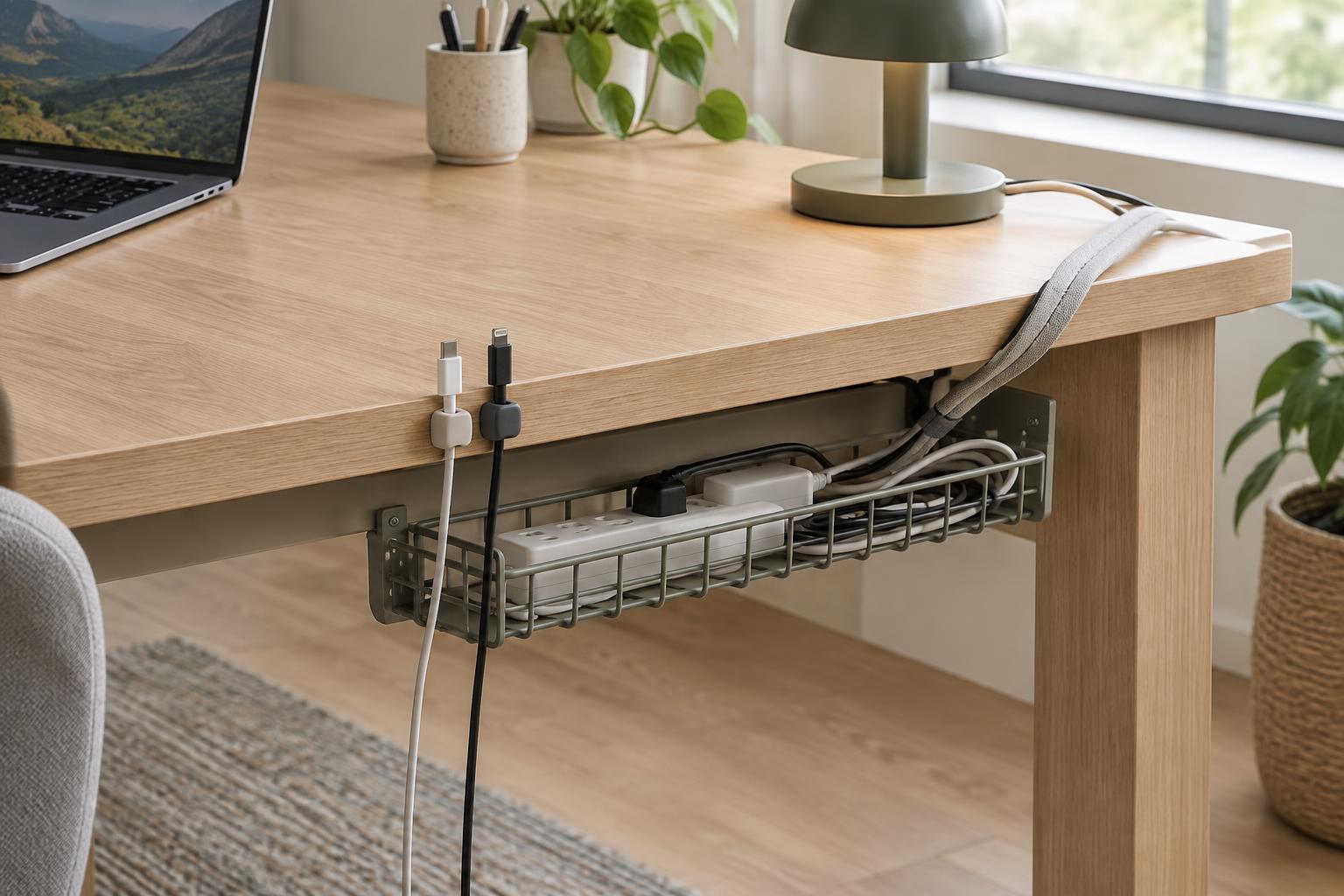
A cable clip holds a lead at a specific point, such as the back edge of a desktop or beside a charging spot. It is especially useful when a loose connector tends to slide behind the desk. Choose a channel that fits the cable without pinching it: a thin charging cord and a thick display cable may need different clips.
Think about how the clip attaches. Adhesive clips are quick to place and do not require holes, but they work best on clean, suitable surfaces and may leave residue when removed. Clamp-on clips are easier to reposition if they fit your desk edge. Before fixing either type in place, sit at the desk and reach for the cable. Leave enough slack to connect a device comfortably without pulling on the plug.
Clips organize a cable’s route; they do not store much excess length. If several cords still hang in loops below the desk, adding more clips may only create a complicated path. Use a sleeve or tray for the portion you do not need to touch.
Choose a sleeve for cables that travel together
A sleeve gathers several leads into one bundle between two points, such as a monitor and the back of a desk. It can make a cluster easier to guide behind furniture and simpler to lift while cleaning. Wraparound sleeves are convenient when cables are already connected, while tubes that require threading may be better suited to a setup you rarely change.
A sleeve works best when the cables genuinely share a route. If one lead goes to a desk lamp and another drops to a power strip, bundling them all the way along may force both into an inconvenient detour. Stop the sleeve where their paths divide, and leave a little slack near movable equipment. Avoid tight bends or a bundle so full that it presses on connectors.
The trade-off is access. Replacing one cable in a dense sleeve takes more work than lifting it out of a clip. If you frequently swap devices, sleeve only the stable part of the run and leave the changing ends separate.
Choose a tray for the clutter under the desk
An under-desk tray provides a place for extra cable length and, if the tray is designed for it, a power strip. It is most helpful when cords droop behind the work surface or collect near your feet. Unlike a clip or sleeve, it manages the space where several cables meet rather than holding each one along its entire path.
Check the tray’s mounting method, dimensions, and load capacity against your desk before choosing it. A clamp-on tray may suit a desk you do not want to drill, but it needs a compatible edge and enough clearance. A screw-mounted tray needs a suitable desktop or frame. Whichever you use, place it where you can still reach plugs without straining cables.
Keep power equipment arranged as its maker directs. Do not crush cords against the tray, sharply bend them at plugs, or cover adapters and devices that need ventilation. A tray should make connections easier to inspect, not hide them so thoroughly that problems go unnoticed.
Build a setup you can change
Plan the route before attaching anything. Put your devices where you normally use them, trace each cord toward its outlet or hub, and mark the places where cables fall, cross, or hang too low. A clip near the desk edge can keep a charging lead ready; a short sleeve can gather the steady run from a monitor; a tray can hold the remaining slack beneath the desk.
Test the arrangement before making it permanent. Move your chair, adjust the monitor, and plug in the devices you use regularly. If a lead pulls taut or a connector is difficult to reach, change its route or add slack. A good cable organizer does not simply conceal wires. It keeps the desk comfortable to use and makes the next small change straightforward.