First, decide what you want to keep out
A keyboard cover is useful only if it addresses a problem you actually have. On a desk where a keyboard sits unused for long stretches, a removable cover can keep settling dust off the keys. In a workspace shared with snacks, a fitted cover may make loose crumbs easier to clear away. Neither type makes a keyboard spill-proof. Liquid can reach openings around the keys or the edges of a cover, and a cover can trap moisture if it is put back on before everything is dry.
Consider when the keyboard needs protection. If you mainly want to cover it overnight, you do not need to type through a layer of material. If you want protection while working, the cover becomes part of the typing surface. That distinction makes the choice simpler: start with the least intrusive option that solves your everyday problem.
A dust cover and a typing cover do different jobs
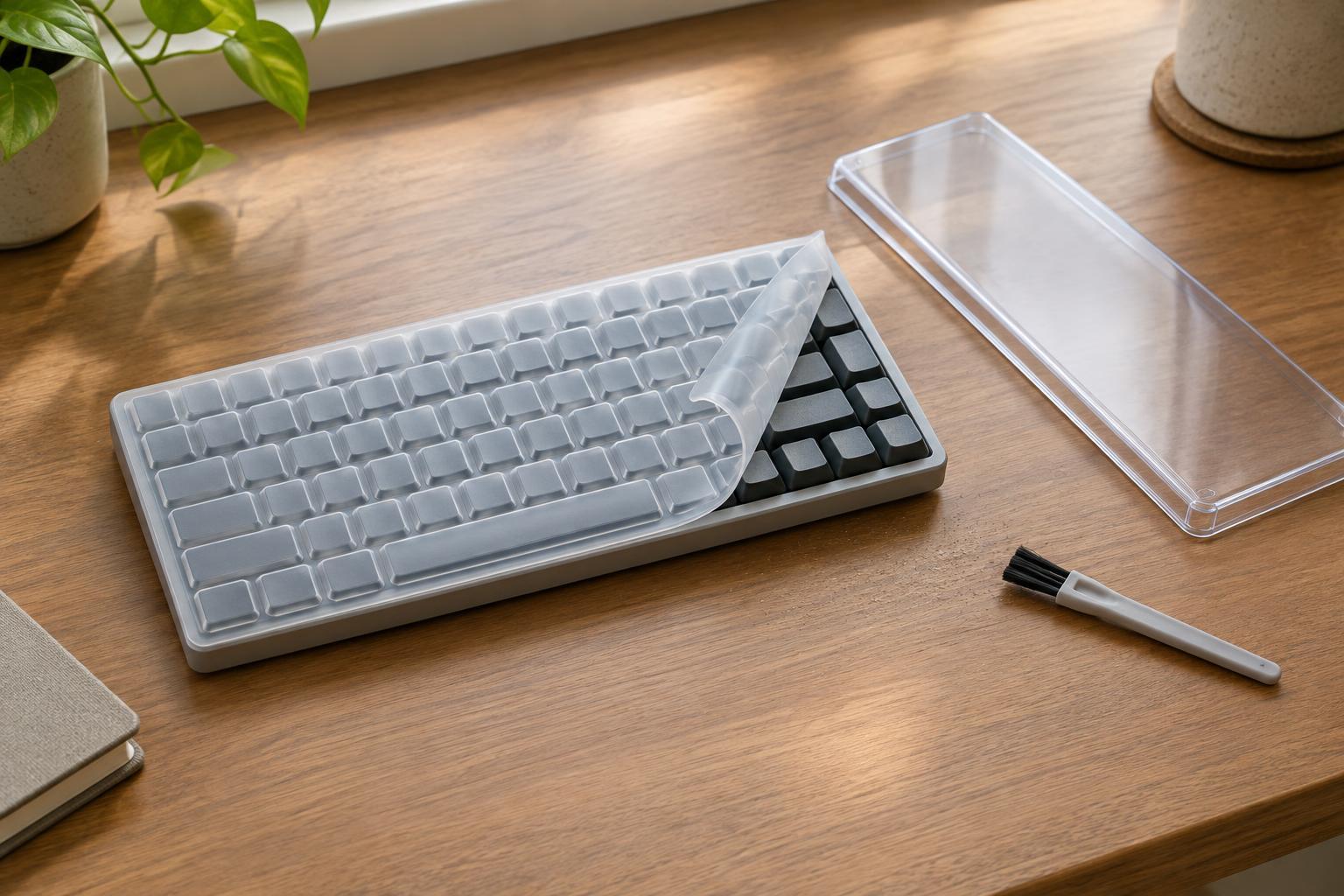
A removable dust cover sits over the keyboard when it is not in use. It might be a rigid shell, a soft sleeve, or a washable cloth laid loosely on top. Because it comes off before you type, it does not change the keys’ feel. Its drawback is equally straightforward: it offers no protection during use, and you need a clean place to put it while you work. A cloth should be kept dry and free of grit that could be rubbed across the keys.
A fitted typing cover is usually a thin, flexible sheet shaped around individual keys. It stays in place while you work and can be lifted off for cleaning. It may be a reasonable choice if crumbs and surface grime are a frequent nuisance, but fit matters more than appearance. A sheet that shifts, bunches at the edges, or presses several keys at once can become more irritating than the dust it prevents.
Check the fit before choosing a material
Keyboards that look similar can have different key spacing, key shapes, and layouts. Check the exact keyboard model and layout before buying a fitted cover; a label such as “fits most laptops” is less useful than a clear compatibility list. Pay particular attention to the function row, arrow keys, and any larger keys. On a mechanical keyboard, the height and shape of the keycaps can also make a close-fitting sheet impractical.
Laptop owners have another constraint: the space between the keyboard and the closed screen may be small. A cover left in place could touch the display or interfere with a clean closure. Follow the laptop maker’s guidance where available, and do not force the lid shut over an accessory. If you cannot confirm there is enough clearance, remove the cover before closing the laptop. Also make sure no cover blocks vents or other openings.
Expect a change in typing feel
A fitted cover adds a layer between your fingers and the keys. Depending on its thickness and how closely it fits, it may soften the key feel, slightly reduce tactile feedback, or make rapid typing less comfortable. Some people adapt quickly; others dislike even a subtle change. Claims that a cover is “barely noticeable” are hard to judge without trying it on the keyboard you use.
Look for a cover that lies flat, stays in place, and lets every key return freely after a press. If possible, test it with your usual tasks rather than a few slow keystrokes: write a paragraph, use keyboard shortcuts, and try the keys near the edges. Remove it if it causes missed presses or makes your hands work harder. Protecting an accessory should not make the accessory unpleasant to use.
Keep the cover clean—or skip it
A cover collects the dust, crumbs, and oils that would otherwise land on the keyboard, so it needs its own cleaning routine. Lift it off carefully so debris does not fall between the keys. Clean it according to its care instructions and let it dry completely before replacing it. While it is off, gently clear visible debris from the keyboard using a method suitable for that device. Avoid pushing dirt toward openings.
If your desk is fairly clean and you enjoy the feel of bare keys, regular light cleaning may be enough. If the keyboard sits unused in a dusty room, a removable cover may offer the best balance of protection and typing comfort. Choose a fitted cover when you need protection during use and are happy with the feel after a real typing test. The best cover is not the one that promises the most protection; it is the one you can use without creating a new problem.