Start with what the surface changes
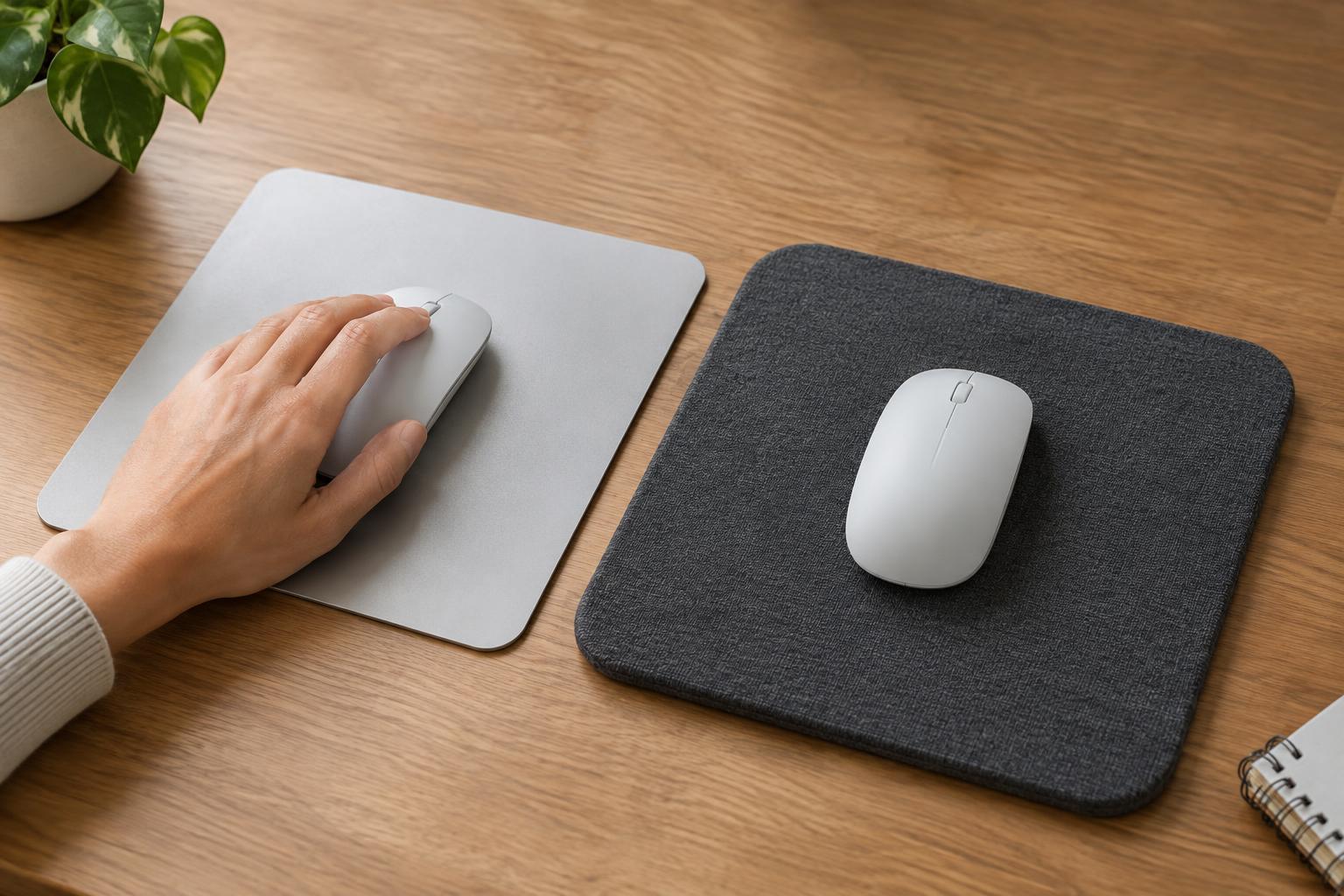
A mouse pad gives your mouse a consistent surface to track across, but it also affects how easily the mouse moves and stops. Hard pads are usually rigid plastic or another firm material with a coated or textured top. Soft pads typically have a fabric top over foam or rubber. Neither type is automatically more precise: the better choice depends on your mouse, its feet, your movement habits and what feels controllable to you.
First consider the space your mouse actually uses. Small pointer movements for documents and spreadsheets place different demands on a pad than broad sweeps across a large display. Also look at the desk beneath it. A stable, level desk makes either pad easier to use, while seams, crumbs and uneven surfaces can be more noticeable under a rigid one.
Hard pads favor easy glide and a firm feel
A hard pad offers little give when you press down. Its firm surface can make a mouse feel quick, with relatively little effort needed to start a movement. That may appeal if you often move between screens or prefer light, fast motions. The same low resistance can make a pointer feel harder to stop exactly where you want it, particularly if you are used to a slower fabric pad.
Hard pads are often straightforward to wipe clean because dust and spills tend to stay on the surface. They can also make debris more obvious: a single grain caught beneath the mouse may feel scratchy. Some hard pads produce more audible movement than fabric pads, and their edges and feet matter. Check that the pad lies flat and does not slide around when you change direction.
Soft pads offer a more cushioned surface
Fabric pads generally add some resistance to movement. Many people like the sense of control this gives them when selecting small interface elements or making short adjustments. A thicker pad can also smooth over minor desk irregularities and feel less abrupt where a wrist or forearm rests. Thickness alone does not determine comfort, however; edge finish, desk height and how you position your arm all affect the experience.
Soft pads come in a wide range of textures. A tightly woven fabric may feel relatively quick, while a rougher or plush surface may feel slower. They can collect oils, lint and dust in the weave, so upkeep usually involves more than a quick wipe. Follow the maker’s cleaning guidance, allow the pad to dry fully and avoid bending it sharply if that could damage its backing.
Match the pad to the mouse and the task
Most modern optical mice work on many ordinary pad surfaces, but tracking can vary with unusual textures, glossy finishes or worn areas. If the pointer skips or jumps, clean the mouse sensor area and the pad before assuming either is incompatible. Worn mouse feet can also change glide. A pad that feels slow with one mouse may feel quite different with another, so judge the combination rather than the pad alone.
For detailed cursor work, you might prefer the predictable drag of a soft pad, though a hard pad can work just as well if you like its firmer response. For frequent wide movements, consider usable area before material: a pad that is too small interrupts your motion no matter how smoothly it glides. If you switch between writing, design tools and games, aim for a surface that feels manageable across all three rather than chasing the fastest possible glide.
Try a simple desk test before deciding
Use your usual mouse and pointer settings to repeat a few everyday actions: click a small button, drag a window, select a line of text and move from one edge of your workspace to the other. Notice whether you overshoot, need repeated corrections or lift the mouse more often than you would like. Try the pad in its intended position, with your keyboard and other desk accessories in place.
Choose a hard pad if you value a firm, wipeable surface and easy movement. Choose a soft pad if you prefer a quieter, slightly cushioned surface with more apparent resistance. If both seem appealing, size and maintenance may settle the question. The right pad is the one that lets you work without paying much attention to the surface beneath your mouse.