Start with the way your headphones rest
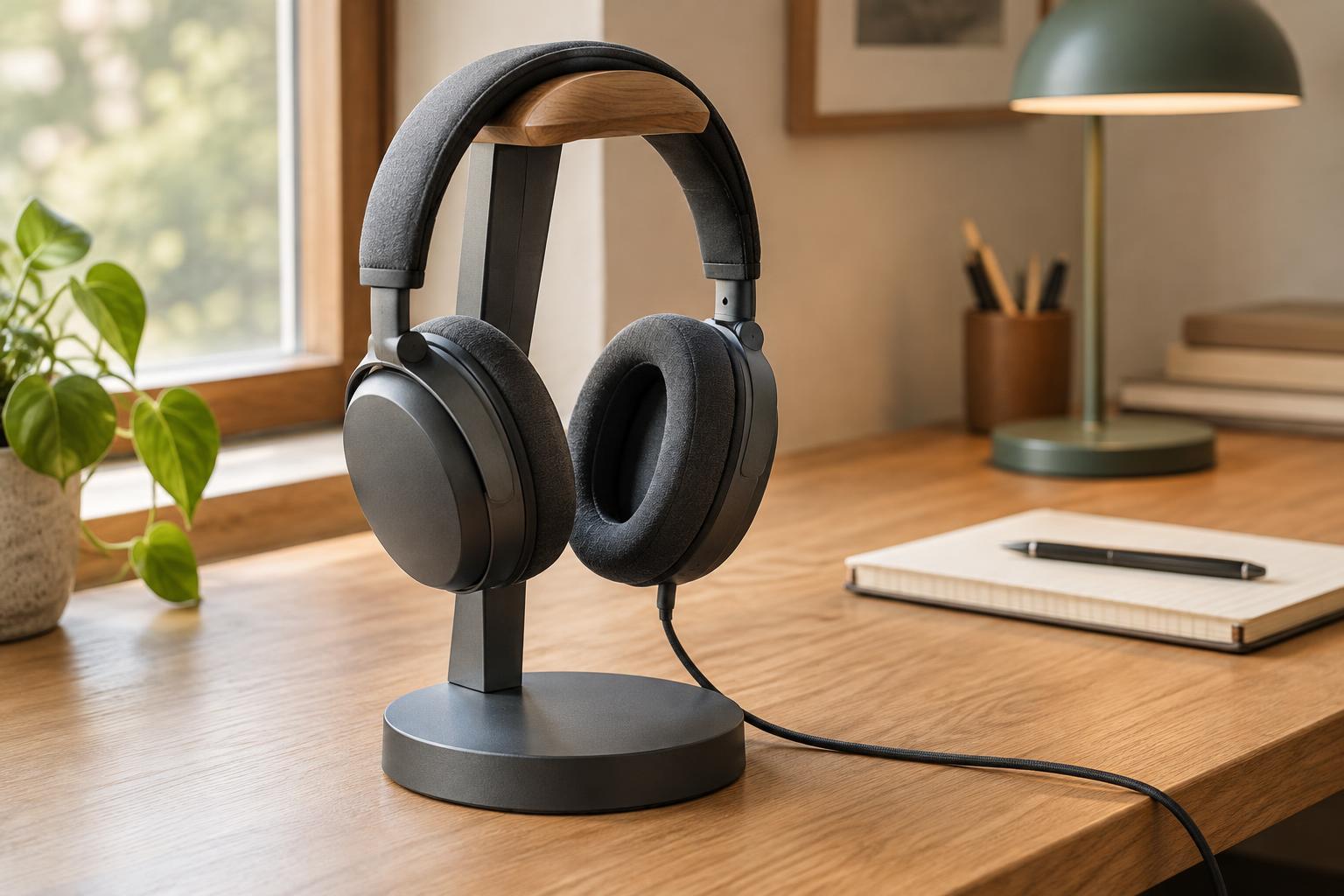
A stand is useful only if it gives your headphones an easy, repeatable place to land. Before comparing materials or finishes, look at the shape of your headphones. A wide, padded headband needs a different resting surface from a narrow metal band. Large earcups may also need more clearance beneath the support so they do not sit on the desk or press against the stand’s upright.
Look for a top support that spreads the headphone’s weight over a reasonable area rather than concentrating it on a sharp edge. A gently curved, smooth surface is often a practical choice for a padded headband. It should be wide enough to hold the band without forcing the earcups apart. If your headphones fold or have an unusual headband shape, check how they hang in their normal storage position; a stand that looks generous in isolation may still contact a hinge or adjustment mechanism.
Judge stability by the whole shape
Stability is not just about how heavy the base feels. Headphones hang above the desk, so their position changes how readily the stand can tip. A base with a broad footprint, a low center of weight and good contact with the desk is generally more reassuring than a tall, narrow stand with the same mass. An angled arm can be convenient, but it also places the load away from the middle of the base.
Think about the small sideways forces a stand will meet each day: a hand setting headphones down slightly off-center, a cable tug or a desk being bumped. Non-slip feet can help keep the base from sliding and protect the desktop from scratches, provided they make even contact with the surface. If possible, test the stand with your own headphones. Place them on it with one hand, then remove them without holding the base. The stand should not rock, travel across the desk or demand unusually careful handling.
Leave room for earcups and cables
A stand can support a headband well and still be awkward if the earcups collide with its stem. Check the space around the hanging headphones, especially if the cups swivel or carry a microphone boom. Earcups should have room to settle naturally rather than being squeezed into a fixed position. If you frequently adjust the headband, choose a stand that leaves those controls visible and easy to reach.
For wired headphones, consider where the cable goes when you set them down. A cable hook or shallow channel can keep a loose loop off the work area, but it should not require tight winding or a hard bend near the connector. Wireless headphones may need a charging lead within reach. A stand does not have to manage every cable perfectly; it should at least avoid putting connectors under strain or making the headphones harder to pick up.
Fit the stand to your desk routine
The best position is often close enough to reach from your chair but out of the path of your keyboard, notebook and drink. Measure the available footprint, then allow extra space for the earcups and your hand. A stand placed at the back of a crowded desk may save surface area yet make every pickup a reach around other objects. One placed at the front edge may be accessible but easier to knock.
Desktop stands are easy to move and usually need no installation. Under-desk hooks and clamp-on holders can free up the work surface, but their position matters: headphones should not hang where knees, chair arms or drawers can strike them. Check that any clamp fits your desk thickness and does not interfere with an edge profile or cable tray. Whatever the format, try to give the headphones a clear route in and out rather than treating the stand as storage you must navigate.
Choose simple details you will appreciate daily
Materials affect feel and upkeep as much as appearance. Smooth wood, finished metal and molded plastic can all work well if contact edges are rounded and joints feel secure. Look for a finish that will not snag headband fabric or leave rough seams against it. A surface that wipes clean easily is helpful when the stand sits near a frequently used workspace. Decorative features are less valuable if they create places where a cable catches.
Before buying, make a short checklist: Does the top suit your headband? Can the base remain steady during one-handed use? Do the earcups hang freely? Is there a sensible place for a cable, and will the stand fit where you actually want it? A good headphone stand should make putting headphones away feel like the easiest option. When its support, footprint and location work together, it becomes a quiet part of the desk rather than another object to work around.