Think in layers before you cut
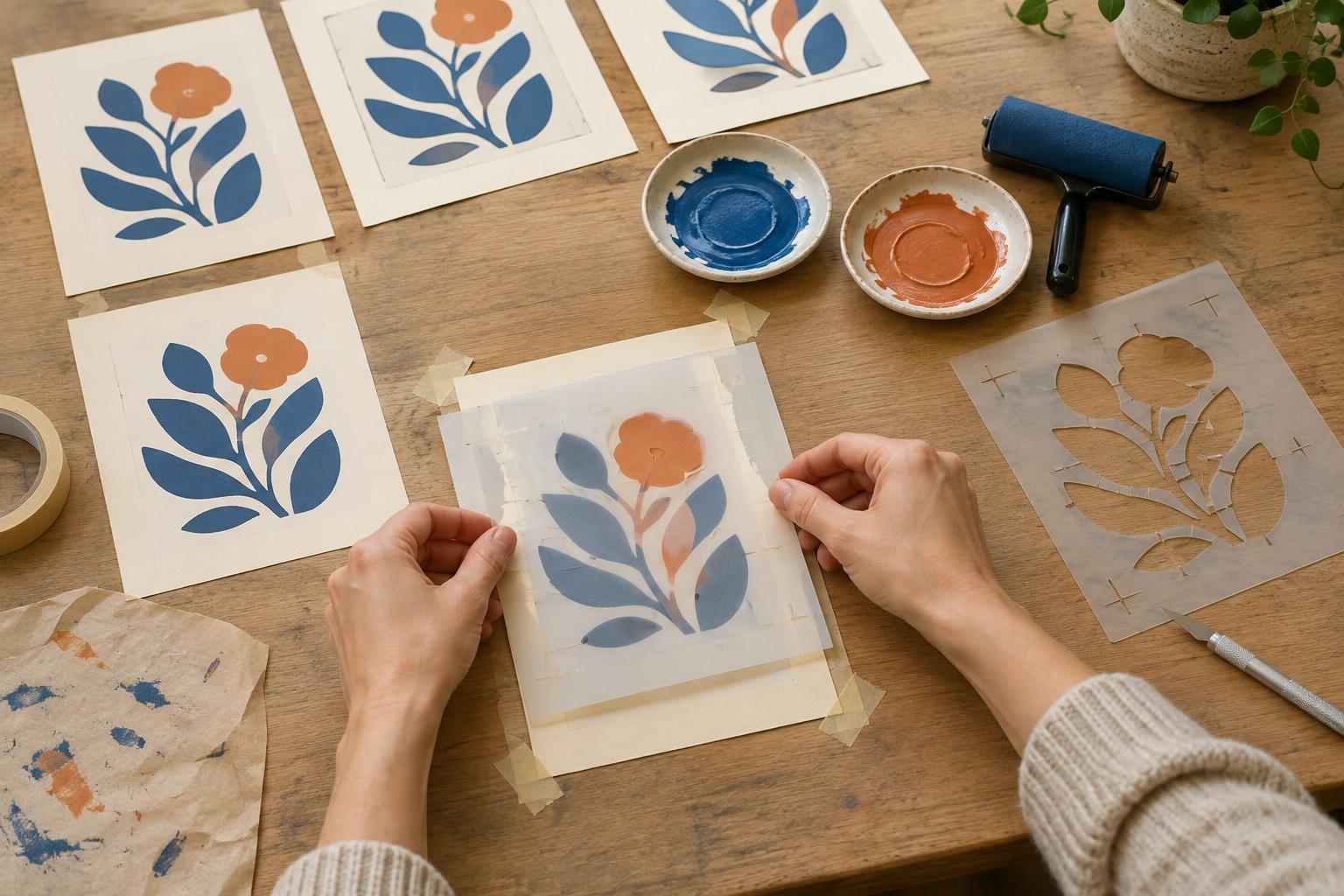
A layered stencil uses one cut sheet for each printed color. The first stencil lays down a broad shape; the second adds details, shadows or a contrasting shape. Try a subject with a clear silhouette, such as a leaf, cup or desk lamp. Sketch it using only two flat colors and the unprinted paper. If a detail needs fine shading to make sense, simplify it before you make the stencil.
Decide which color will print first. A pale base with a darker detail layer is often easy to read, but the order can be part of the design. Draw both layers at the same size on separate sheets of paper. Lay them over one another against a window to check how the shapes meet. A small planned overlap can hide slight shifts between layers; an intended gap, by contrast, will make the paper show through.
Choose materials and build in bridges
For a short run, sturdy paper or thin card makes an accessible stencil. Thin reusable plastic is less absorbent and may hold up better over repeated prints. You will also need a cutting mat, craft knife, low-tack tape, a sponge or stencil brush, paint suited to your printing surface, and scrap paper for testing. Use a clean, firm work surface and cut away from your fingers.
Mark the areas that should receive paint on each layer, then cut those openings. Work slowly around curves, turning the sheet rather than twisting the blade. An enclosed cutout, such as the center of a letter O, would fall out unless you leave a narrow connection to the surrounding stencil. These connections are called bridges. Put them where they suit the image, and check that thin parts of the stencil can lie flat. For a first project, make small details broader than you think they need to be: narrow openings are harder to fill cleanly.
Make alignment part of the setup
Two good stencils can still produce a muddled print if they land in different places. On a larger backing sheet, draw a light corner guide for the paper you will print on. Add two small alignment marks outside the image area to each stencil, in exactly the same positions. Those marks let you line up each layer without guessing from the artwork. If you do not want marks on the finished print, keep them beyond the edges of the printing paper.
Tape one edge of the first stencil to the backing sheet so it can lift like a hinge. Place your printing paper in the corner guide and secure it if necessary. When you switch to the second stencil, line up its marks with the same guides and tape its edge in place. Print a test sheet before making a batch. It will show whether the layers overlap as intended and whether any cutouts need adjusting.
Print with less paint than you expect
Hold the first stencil flat and load a sponge or stencil brush with a small amount of paint. Dab off the excess on scrap paper, then apply color with light, repeated taps. Heavy paint can creep under an edge and blur the shape. If an opening is large, work from its edges toward the center while keeping the stencil steady. Lift the stencil carefully and let the first layer dry according to the paint you are using before placing the second one.
Align the second stencil using your guides and apply its color in the same way. Lift it to inspect the result rather than adding paint blindly. A little variation in texture or alignment can give a hand-printed image character, but a consistent run comes from using the same amount of paint and pressure each time. Keep test impressions nearby as a reference.
Adjust the design for the next print
If paint bleeds under an edge, use less paint and check that the stencil lies flat. If a detail disappears, widen its opening or choose a stronger contrast between the two colors. If the colors leave an unwanted sliver of paper between them, enlarge one shape slightly to create an overlap. Make these changes on a test print before cutting a fresh stencil.
Wipe reusable stencils before paint builds up around their openings, taking care not to bend delicate bridges. Let paper stencils dry flat if you plan to use them again, and keep the two layers labeled and stored together. Once the basic process feels familiar, try changing only one variable—color, paper or the position of the second layer—to see how much a simple design can change.