Start with your working position
A monitor riser solves a specific problem: it raises a screen without changing the height of the desk. Before measuring the monitor, sit where you normally work. Place your feet comfortably, let your shoulders relax and position your keyboard and mouse where you can use them without reaching. If your chair or keyboard position needs changing, do that first. Otherwise, you may size the riser around a posture you will not keep.
Look straight ahead with your head in a neutral position. Ask someone to mark your eye height against a wall, or hold a tape measure beside you and note the distance from the desktop to your eyes. You do not need a perfect measurement; the aim is to establish a useful reference point. Measure from the same desk surface on which the riser will stand.
Measure the screen, then calculate the lift
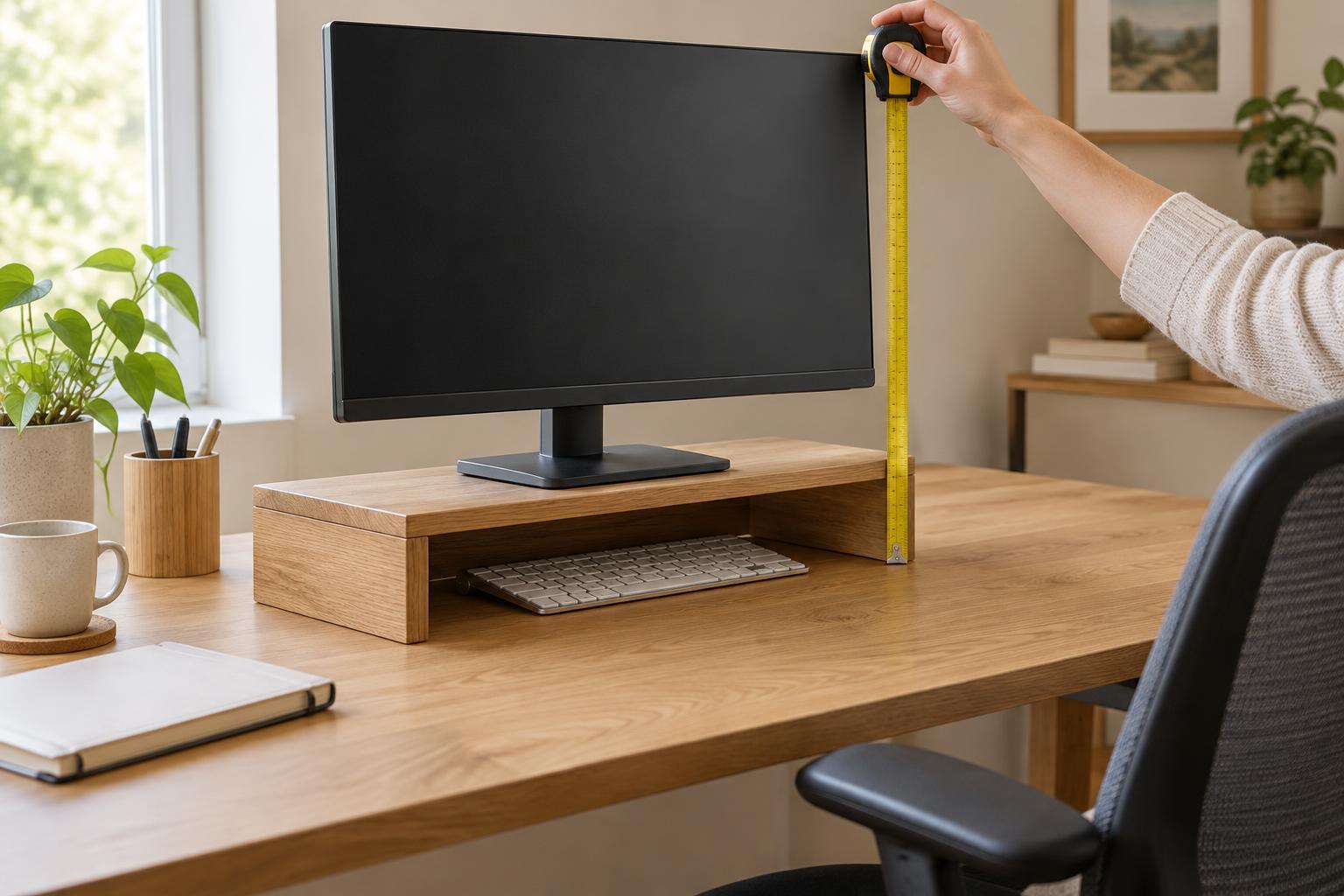
With the monitor in its usual position, measure vertically from the desktop to the top edge of the visible display. Compare that number with your seated eye height. For many people, having the top of the visible screen around eye height or a little below it is a reasonable starting point. Your gaze can then fall slightly downward toward the center of the screen. This is a starting point, not a rule: screen size, viewing distance and personal preference all affect what feels comfortable.
Subtract the current screen-top height from your preferred screen-top height. The result is the approximate lift you need. For example, if the screen top is 42 cm above the desk and your preferred position is 49 cm, start by looking for a riser that raises the monitor about 7 cm. If the answer is zero or negative, a riser may not be the right tool. Check whether the monitor’s own stand adjusts before adding anything beneath it.
Take care to measure the part that will actually rise. A riser lifts the monitor stand’s base, not just the display panel. If you are considering a new monitor, its stand dimensions may differ from those of your current one. With a laptop, raising the built-in screen also raises the keyboard, so an external keyboard and mouse are usually more practical when the laptop sits on a riser.
Check the footprint and usable desk space
Measure the width and depth of the monitor’s base, including any feet that extend forward or backward. The riser’s top should support the entire base on a level surface, with some margin around it. Do not assume that a wide riser is deep enough: a shallow shelf can leave part of a curved or angled monitor base unsupported.
Next, mark out the riser’s proposed width and depth on the desk with removable tape or paper. Make sure it leaves room for your keyboard, mouse and other items you use while working. Check your viewing distance from your normal seated position, too. Moving the monitor forward to fit a riser can undo the benefit of raising it if the screen then feels uncomfortably close. A riser that provides storage underneath may save space, but only if the opening is tall and wide enough for the objects you plan to put there.
Look behind the planned position for cable connections, the power cord and any movement required to adjust or tilt the screen. On a narrow desk, rear clearance can be as important as the dimensions printed for the riser itself.
Choose a stable design and test it
Check that the riser is intended to carry at least the weight of your monitor and stand. Weight alone is not the whole story: a broad, rigid top and steady feet help prevent rocking when you adjust the screen or bump the desk. Avoid stacking loose books or boxes as a permanent solution, especially if the monitor base can slide. Also leave any monitor or laptop ventilation openings unobstructed.
Before buying or building a fixed-height riser, try the proposed lift with a temporary, stable platform while you are present to supervise the setup. Use it for several ordinary tasks: reading, writing and looking between the screen and your keyboard. Notice whether you lift your chin, tilt your head down sharply or feel tempted to change how you sit. Small height changes can make a meaningful difference, so an adjustable riser or a simple design that can be modified is helpful when your measurement falls between available sizes.
The best measurement is not the tallest one you can accommodate. It is the smallest reliable lift that puts the screen in a comfortable position while keeping the monitor fully supported and the rest of your workspace usable.