Start with what the rest is meant to do
A wrist rest is often treated as a cushion to lean on while typing. That is not necessarily its best role. For many people, it works better as a place to settle the hands during pauses, without pressing the underside of the wrists against a firm edge. While typing or moving a mouse, the hands need room to move rather than being anchored to one spot.
Before buying an accessory, notice where the discomfort in your setup seems to come from. A high keyboard, a mouse placed too far away or a desk edge pressing into your forearms may not be solved by adding padding. Try moving the keyboard and mouse closer, clearing space around them and checking whether your forearms can approach the work area without an awkward reach. A rest should fit the arrangement you use, not force you to work around it.
Mistake one: choosing by width alone
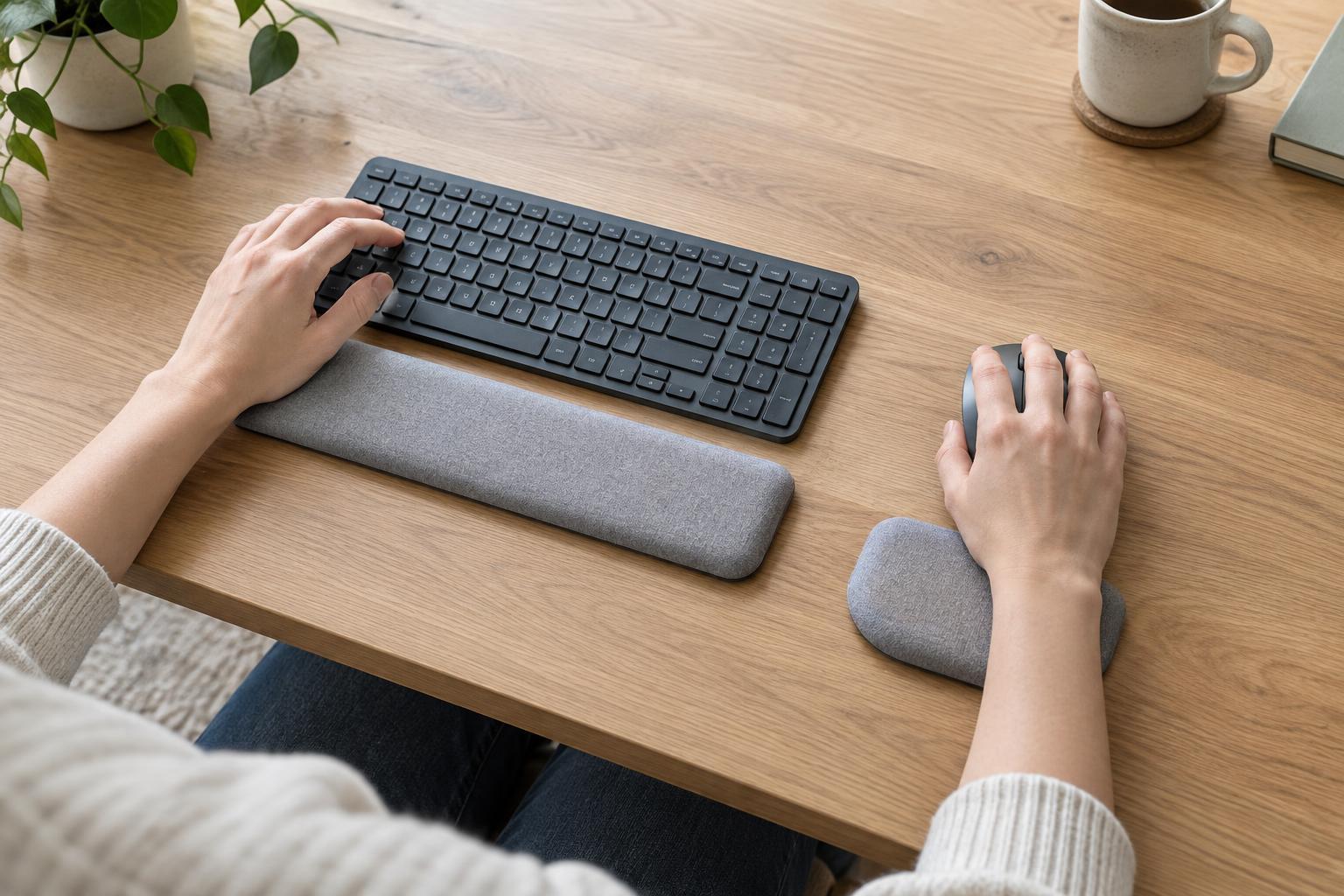
Keyboard rests are commonly sold to match broad keyboard categories, but two boards with the same number of keys can have different case widths and front-edge heights. Measure the keyboard itself, then consider how you use it. A rest that extends well beyond a compact board may take up mouse space; one that is much shorter than the area where your hands usually pause may feel inconvenient. An exact edge-to-edge match matters less than having support where it is useful.
Depth matters too. A very deep rest can push the keyboard farther away, increasing your reach. If your desk is shallow, check that the keyboard, rest and a little free space can all fit without crowding the front edge. For a mouse rest, look at the size of your usual movement area. A large cushion may occupy the space you need to steer the mouse, even if it looks generous on the desk.
Mistake two: using a rest that is too tall or too firm
The height of a keyboard rest should be considered alongside the keyboard’s front edge, not judged in isolation. If the rest raises your hands noticeably above the keys, you may find yourself bending down toward them. If it sits far below a tall keyboard, it may offer little help during pauses. A low-profile keyboard and a thick cushion, for example, can be an awkward pairing.
Softness is not the same as suitability. A rest that collapses under your hands may feel comfortable at first but offer an uneven surface; a hard rest with a sharp edge may concentrate pressure. Look for a stable shape with a gentle edge and a surface that is easy to keep clean. If you are trying one in person, place your hands on it lightly, then type and lift away. The useful test is whether it leaves your movements easy and unforced.
Mistake three: putting support in the path of movement
A keyboard rest usually belongs immediately in front of the keyboard, not underneath its front feet or several inches away. Leave enough space for your fingers to reach the keys without stretching over a broad padded strip. If the rest slides, a nonslip base may be more helpful than repeatedly pulling it back into place.
Mouse rests need a different approach because the hand travels across the desk. A small raised pad that stays still can encourage you to pivot around it rather than move freely. If you prefer a mouse pad with a built-in cushion, check that you can reach your usual on-screen targets without dragging your wrist over its edge or lifting the mouse to escape the pad. You may prefer an ordinary, spacious mouse surface with no raised support. There is no need to buy matching keyboard and mouse rests if only one improves the setup.
Make small adjustments, then reassess
Test one change at a time: rest height, keyboard position or mouse location. Use the setup for familiar tasks such as writing, selecting text and navigating a page. Notice whether your hands can move easily and whether you start leaning on the rest as a fixed point. A rest that feels pleasant during a brief pause can still get in the way during longer stretches of activity.
Keep the final arrangement simple. Leave room to move, clean the rest according to its material, and replace it if its surface becomes uneven or its edges deteriorate. If discomfort persists, an accessory may not be the relevant fix; reconsider the wider desk arrangement and seek appropriate professional guidance for ongoing symptoms. The best wrist rest is not the thickest or the softest one, but the one that fits your equipment and stays out of your way.