A stand changes two things at once
A laptop combines a screen, keyboard and pointing device in one hinged object. That compact arrangement is convenient, but it ties the position of your hands to the position of the display. Put the laptop on a stand and the screen rises; so do the keys and trackpad. Whether that trade-off helps depends less on the stand’s advertised height than on how you use the laptop.
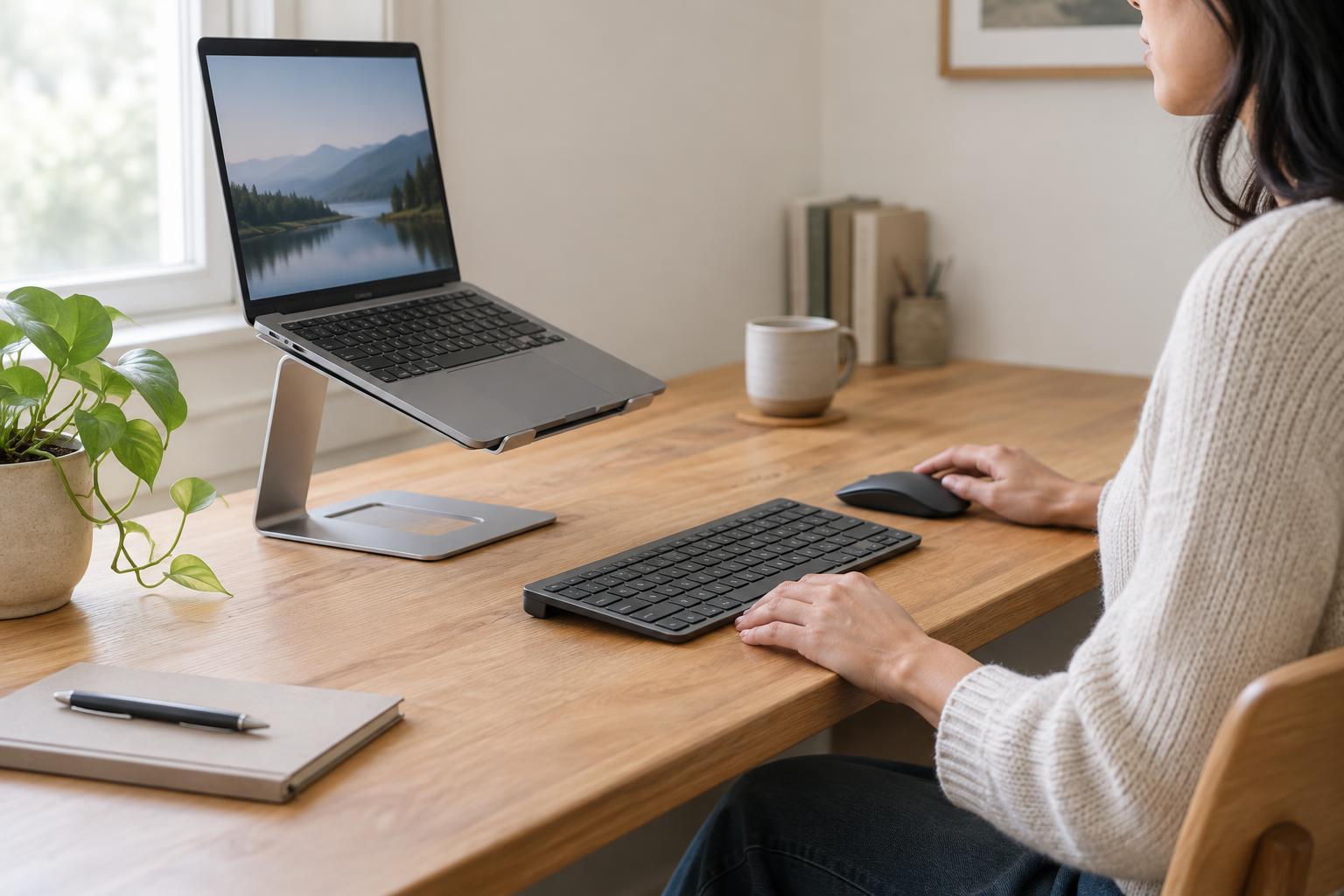
For short tasks, a modest lift may be enough. A low, angled stand can make the screen easier to see while leaving the built-in keyboard reasonably accessible. For longer stretches of typing, a taller stand often creates a different problem: your hands must reach up to the laptop, and the angle of the keys may feel awkward. At that point, a separate keyboard and mouse or trackpad let the screen and your hands occupy different places.
When separate input devices make sense
Consider adding an external keyboard when the stand puts the laptop’s keys above a comfortable typing position, or when you find yourself holding your arms up to reach them. A separate keyboard can sit on the desk while the screen stays elevated. It also lets you move the keyboard closer or farther away without moving the display. The aim is not to achieve one perfect measurement; it is to find a setup you can use without repeatedly stretching or adjusting your posture to reach the controls.
The same reasoning applies to the trackpad. If the laptop is raised and set back, reaching for its trackpad interrupts typing and may be inconvenient. An external mouse or trackpad can sit beside the keyboard, within easy reach. Choose whichever pointing device suits your tasks and available desk space. A mouse needs room to move; a trackpad generally stays in one place.
You may not need either accessory if you use the stand mainly to watch videos, join occasional calls or refer to a document while working elsewhere. A stand also need not turn every laptop into a permanent desktop station. If you regularly switch between brief, mobile use and extended desk work, keeping the extra devices at the desk can be a practical compromise.
Match the stand to the desk, not just the laptop
Before choosing a stand, picture where each part of the setup will go. The laptop screen should be easy to view from your usual seated position, without forcing you to peer downward or tilt your head back to see it. The keyboard should have space in front of the stand, and the pointing device should fit beside it. On a shallow desk, lifting the laptop may free space underneath but push the screen farther away than you want.
A fixed-height stand is simple if one position suits your desk. An adjustable stand offers more ways to experiment, though its joints and hinges should feel steady at the height you intend to use. Check that the platform supports the laptop securely, leaves access to the ports you need and does not obstruct openings intended for airflow. If you type directly on the raised laptop, stability matters especially: a stand that wobbles under each keystroke can be distracting even if it holds the laptop safely.
Build a setup you can actually keep using
A useful desk arrangement does not have to be elaborate. Start by placing the laptop where the display is comfortable to view. If that puts the built-in keyboard or trackpad out of convenient reach, add external devices and position them for your hands. Then check the small practical details: whether a charging cable reaches, whether a mouse has enough room and whether you can open the laptop fully without hitting a shelf or wall.
If your stand folds away, consider how quickly you can set everything up again. A portable stand paired with a compact keyboard may suit someone who changes desks; a sturdier stand and full-size input devices may suit a workspace that stays put. Neither arrangement is inherently better. The right choice is the one that makes the tasks you do most often straightforward.
The simplest rule is to treat a stand as a way to position a screen, not as a complete workstation by itself. The higher you raise the laptop, the more likely you are to want independent controls on the desk. Try the arrangement with your normal work before deciding that the stand, or any accessory beside it, has earned its space.