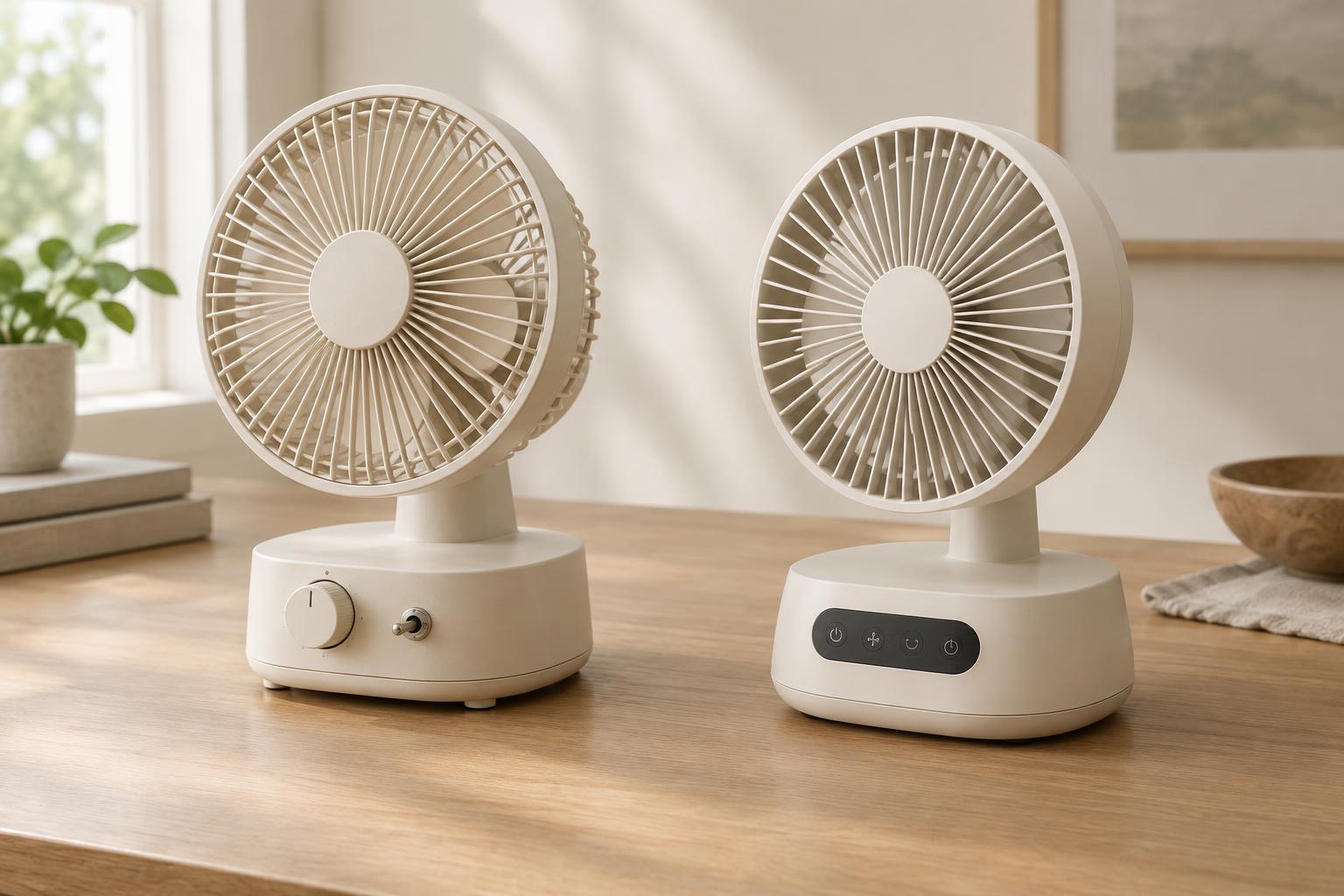
Start with the task, not the technology
Picture a desk lamp with a rocker switch and another with a touch-sensitive base. Both can turn on a light, but they ask different things of the person using them. The rocker has a visible position and a distinct movement. The touch base can look cleaner and may allow several brightness levels without adding more controls. Neither is automatically the better design. The useful question is what someone needs to do, and under what conditions.
In simple household products, controls are the meeting point between an object and a routine. A fan might be adjusted while someone is half asleep. A kitchen timer may be used with damp hands. A lamp might need to be found in the dark. Thinking through those moments is more revealing than judging a control by its appearance alone. Consider how often it is used, whether its setting matters, and how easily a person can tell what will happen next.
What mechanical controls do well
Mechanical controls include familiar forms such as switches, levers, sliders and turning knobs. Their main advantage is often directness: the shape and movement can suggest the action. A large dial invites turning; a slider shows a range of travel. Physical stops, clicks and resistance can provide feedback without requiring someone to watch a display.
That feedback is valuable when attention is elsewhere. A lamp switch can be found by touch, and a fan knob with clearly spaced positions can be adjusted without reading a small label each time. A control that remains in its selected position may also show the current setting while the product is off. These are design possibilities, not guarantees. A tiny unmarked knob, a slippery surface or several identical switches can still be confusing.
Physical movement brings its own constraints. Parts need room to travel and may collect dust or wear with repeated use. A knob on a compact product can be knocked accidentally if it protrudes. Good mechanical design accounts for grip, placement and the force needed to operate the control, rather than assuming that a physical control is inherently easy to use.
Where electronic controls earn their place
Electronic controls can offer settings that would be awkward to express through a few fixed switch positions. A small button can cycle through brightness levels; a display can show a countdown; a touch panel can keep the front of an object smooth. These approaches can be useful when a product needs to communicate changing information or remember a preferred setting.
The trade-off is that the interface may need to explain itself. If one button performs several actions depending on how long it is pressed, the product asks its user to learn and recall a sequence. A smooth touch area can be hard to locate by feel, and a light that confirms a setting may be difficult to see from some angles. Designers can reduce these problems with clear labels, consistent responses and a way to confirm what the product is doing.
An electronic control need not be a feature-heavy control. For a bedside light, one obvious button with a predictable response may be more useful than a panel of modes. The benefit comes from matching the control to the task, not from making the interface look advanced.
Compare the whole interaction
To assess a control, follow a task from beginning to end. Can someone find the control without searching? Can they understand the available choices? Does the product acknowledge the input? Can they check or change the result? For a kitchen timer, a dial may make a quick rough setting easy, while buttons and a display may make a specific duration easier to read. Which matters more depends on how the timer will be used.
Also consider moments when conditions are less than ideal. Test the imagined product with one hand occupied, in low light, or when the user is unfamiliar with it. Think about accidental presses, cleaning around the control and whether the setting remains clear after power is interrupted. These checks often reveal more than a feature list does.
Accessibility is part of this comparison. A raised switch may help someone locate a control by touch, but it may require more force than they can comfortably apply. A touch surface may require little force, yet offer no tactile landmark. Size, contrast, spacing, feedback and operating effort all deserve attention, regardless of whether the underlying control is mechanical or electronic.
Use the simplest control that makes the task clear
Many products work best with a combination. A physical power switch can make the basic action unmistakable, while an electronic control handles settings that need finer adjustment. Even then, each added option should have a purpose. More controls create more decisions and more chances for someone to misunderstand the object.
When choosing between approaches, write down the product’s essential actions and the cues needed to support them. If a household object mostly needs an obvious on-off action, a well-placed switch may be enough. If it needs to show precise or changing information, an electronic interface may justify its added complexity. The strongest design is not the one with the fewest or newest components; it is the one whose operation feels clear in everyday use.