Start with the outlet and the walking path
Before choosing a mounting spot, trace the route from the wall outlet to your desk. The power strip’s cord should reach without being pulled tight, and it should not cross a place where people walk or roll a chair. If the only route runs through open floor space, moving the desk or using a different outlet is usually a better starting point than trying to hide the cord.
Look at how you use the desk, too. A laptop charger you unplug every day needs a more reachable outlet than a monitor that stays connected. Place the strip where you can get to its switch and plugs without moving the whole desk, but not where your feet, knees, or chair will repeatedly hit it. A location can look tidy in an empty room and still be awkward once the chair is in place.
Give every plug enough space
Bulky power adapters can block neighboring sockets even when the strip appears to have enough outlets. Before attaching anything, plug in the devices you intend to use and check the arrangement. Try the strip in its proposed position with the largest adapters installed: their bodies may project sideways, upward, or toward the wall. Leave room to grip each plug when you need to remove it.
The strip’s own cord also needs a gentle route out of the housing, without a sharp bend where it enters. Avoid wedging the strip behind a drawer or pressing adapters against a desk panel. If the plugs only fit when everything is squeezed into place, choose a roomier location or a strip with outlet spacing better suited to your adapters. Keep the strip uncovered so you can inspect it and notice if something seems damaged or unusually warm.
Choose a position that works for your desk
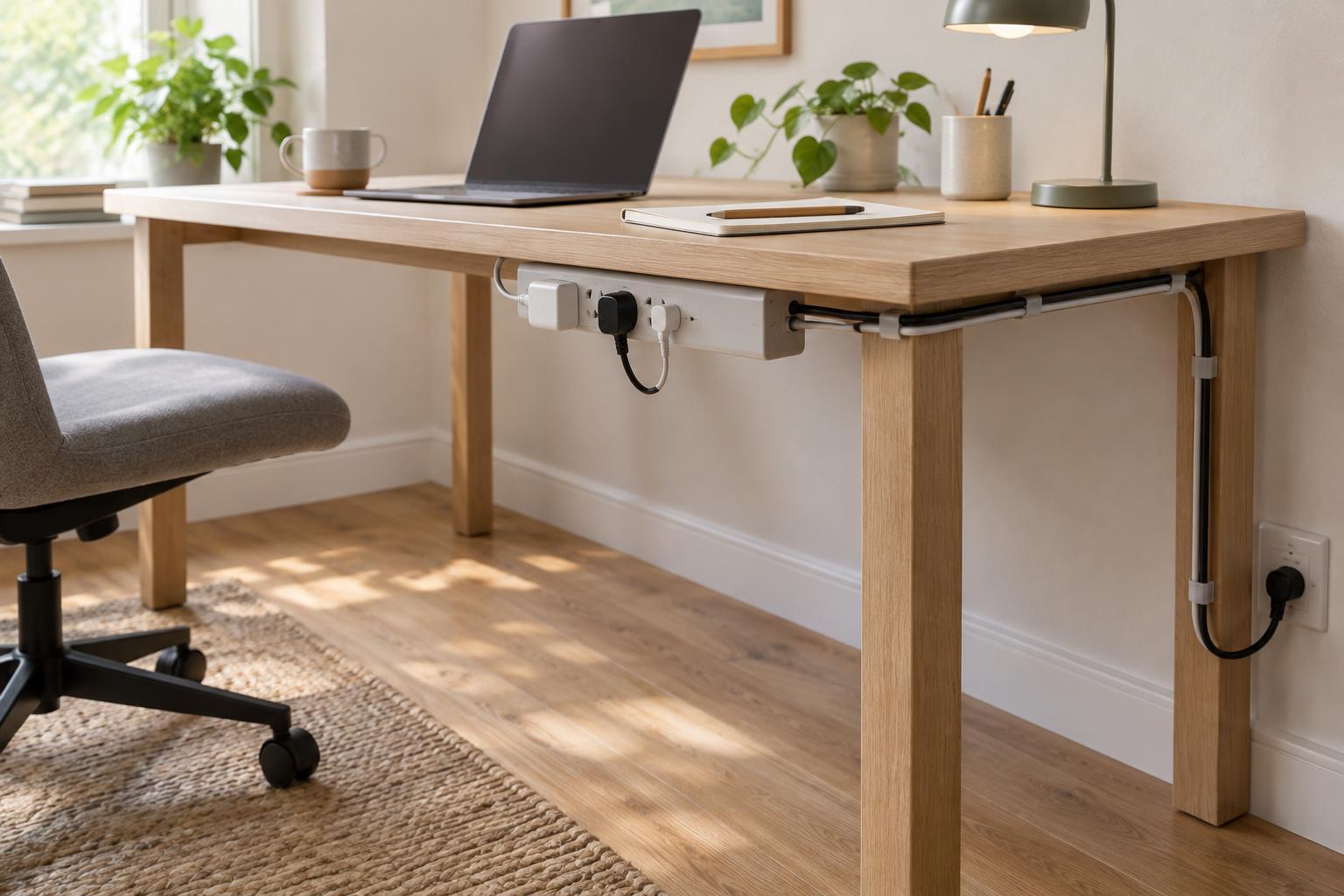
Under the rear edge of a desk can be a convenient spot: it keeps the strip off the floor while leaving outlets within reach from a seated position. Check for crossbars, moving parts, and drawer clearance before committing. A strip mounted to a fixed leg or side panel may be easier to see and use, though it can be more exposed to chair movement. On the desktop, a strip is simple to access but takes up space and may make cables more visible.
Whatever spot you choose, follow the power strip manufacturer’s guidance for mounting and orientation. Use only mounting points or accessories intended for the job, and check that fasteners will not pass through a thin desktop or interfere with its hardware. Adhesive mounts may be convenient, but their grip depends on the surface and the weight they must hold. Do not drill into the strip or modify its casing to make it fit.
Route cables without making a snag point
Once the strip is placed, run device cables along the desk rather than letting them hang across legroom. Clips or reusable ties can guide cables down a desk leg and keep excess length away from chair wheels. Leave enough slack for a height-adjustable desk, monitor arm, or movable lamp to travel through its full range. A neat-looking cable that becomes taut when the desk moves is not well routed.
Keep cords out from under rugs and away from doorways and other pinch points. If a cord must pass through a busy area, reconsider the furniture layout or outlet choice instead of relying on a loose floor cover to solve the problem. Bundle cables loosely enough that you can identify and remove one later; making every connection permanent can turn a simple device swap into a tangle.
Check the setup in everyday use
Sit down, pull the chair in and out, open nearby drawers, and unplug a device. These small tests reveal whether the strip is genuinely accessible and whether any cord is likely to be caught. Make sure the wall plug remains secure and reachable, and use the strip within its stated rating. Avoid connecting one power strip to another or using it for equipment the manufacturer says should be plugged directly into a wall outlet.
Finally, give the setup a quick look whenever you rearrange the desk or add a device. Check for crushed cords, loose mounting, and adapters that now block access to other plugs. The best placement is not necessarily the one that hides every wire. It is the one that keeps connections usable, cables out of the way, and the whole arrangement easy to inspect.